


Get your shots in, any way
Import a RAF straight from Photos, from Files, or pull it off the camera over the cable. However your shots are stored, they come in.
The first mobile recipe lab and RAW developer for Fuji shooters. Straight out of your camera — on your iPad.


The editor
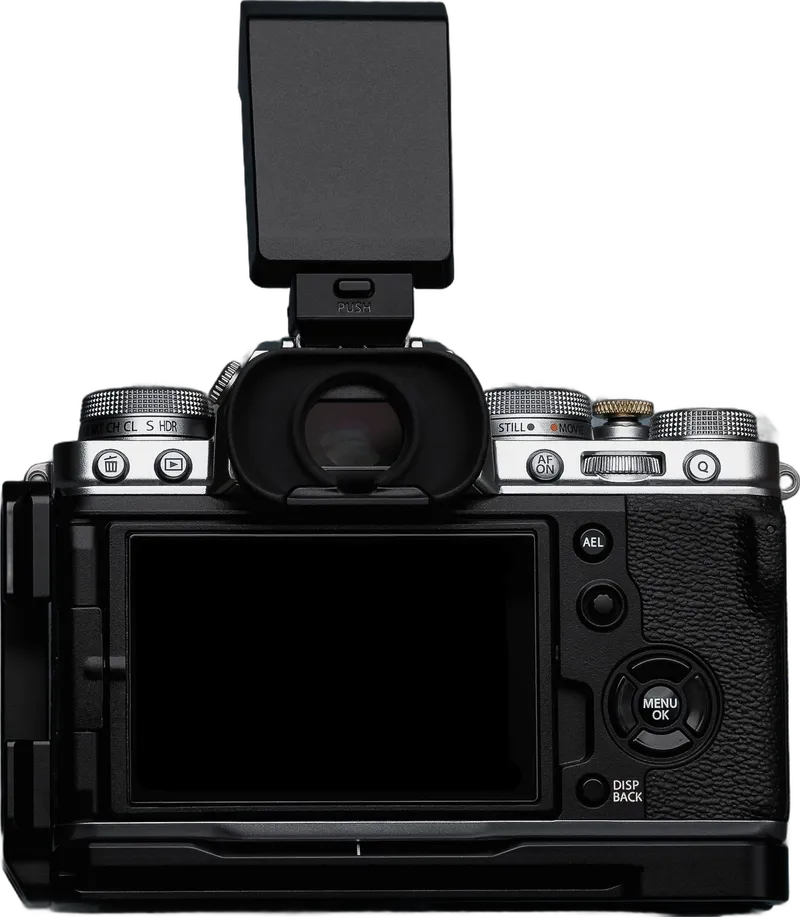
Plug the camera in. The RAW you shot gets developed by the same body you shot it with — no presets, no profile guessing at the film look. What lands on the iPad is exactly what your camera would have made, straight out of camera, long after the shutter.
That’s the part Lightroom and Capture One can’t do. They approximate the look. We just get it.

The recipe lab
Build and edit recipes without the camera plugged in. Name them, tag them, keep the ones that work. Paste in a recipe you found online — the parser turns it into an entry you can actually edit.
Back up all seven custom slots at once. Your camera setups — macro, night, face-tracking, bracketing — come along, and in the app you swap the recipe on top. Whole setting sets, not just recipes, ready to restore any time.
Setting groups
A recipe is the film look. A group is everything else — focus, stabilisation, face detection, your own menus, all seven C-slots in a single snapshot. Your whole camera, safe off it.
Switch the recipe on top whenever you like, then put the whole set back the moment you need it. Macro day, wedding day, that setup you spent an afternoon getting just right — it’s one tap away, exactly as you left it.


Early access
Tune one on the iPad and it lands on the camera, over the air.
Pair it once, switch it on, and it's right there — no reconnecting, no fiddling.
Film sim, grain, tone, white balance — the whole thing, exactly right.
The same magic, coming to iPhone.
The recipe wiki, in the app
Open the wiki and the whole community’s recipes are right inside X Sim Lab — browse by camera, sort by Top or New. Tap one and it’s yours to edit. Share your own, or write the description the next shooter needs.
Publish a new recipe, add your own take to one that exists, or upvote the description that nails it.
Post under a pseudonym with an optional bio — no real name, no account churn. Turn it all off any time.
A one-tap Report on anything off, reviewed by us — so the wall stays worth reading.
Cinematic Cool
X-T4
Everyday Portra
X-T5
GFX Provia Calm
GFX50S II
Pastel Frame
X-E5
Portra 800 Night
X-T50
GFX Astia Soft
GFX100 II
Kodachrome 64ish
X-Pro2
Cinematic Cool
X-T4
Everyday Portra
X-T5
GFX Provia Calm
GFX50S II
Pastel Frame
X-E5
Portra 800 Night
X-T50
GFX Astia Soft
GFX100 II
Kodachrome 64ish
X-Pro2
Kodak Gold 200
X-E5
Salted Slate
X-H1
Arthouse Bleach
X-S10
Bright Kodak Pop
X100VI
GFX Ultra Color
GFX100S
Crisp Chrome
X-E3
Rust Roamer
X-T4
Kodak Gold 200
X-E5
Salted Slate
X-H1
Arthouse Bleach
X-S10
Bright Kodak Pop
X100VI
GFX Ultra Color
GFX100S
Crisp Chrome
X-E3
Rust Roamer
X-T4
A one-time, pseudonymous opt-in — the app stays fully offline until you choose to go online.
More in the kit
Import a RAF straight from Photos, from Files, or pull it off the camera over the cable. However your shots are stored, they come in.

Tweak, name and tag every recipe, and give it a description that means something later. Not a dumping ground — a collection you actually keep.

It spots your body and the recipe already on it, then shows you only the dials that camera actually has. No guesswork, nothing that won't apply.

Crop, check the shot details, zoom right in to the real pixels. The everyday stuff lives next to the film look — never another app away.
Export
Pick a stack of frames and develop them all in one go — same format, same quality, same size across the lot. They land straight in a Photos album or in Files, ready to share.
Universal. Pick your quality and size.
Smaller files, same look — HEIC out of the box.
Every detail kept, ready for the big edit.
And the rest
The shot you took is the one worth keeping. Get the look right in camera, and there’s nothing left to fix later.
That confidence is the whole point of a recipe — and X Sim Lab is where you tune one until it’s right.
“I usually shoot SOOC and never touch my files afterwards. But I wanted to give X Sim Lab a try — and now I actually enjoy developing my RAFs.”
“I used to import everything into Lightroom and spend ages trying to match the look. Now I just don't.”
“I'd basically given up on developing my RAFs on the go. This is the first tool that made me want to again.”
Coming soon
X Sim Lab was built for iPad. iPhone is next — the same develop, the same recipes, the same wireless, wherever you happen to be shooting. It’s coming, and it’s close.
One email when iPhone ships. Nothing else.
FAQ