The wiki, inside the app
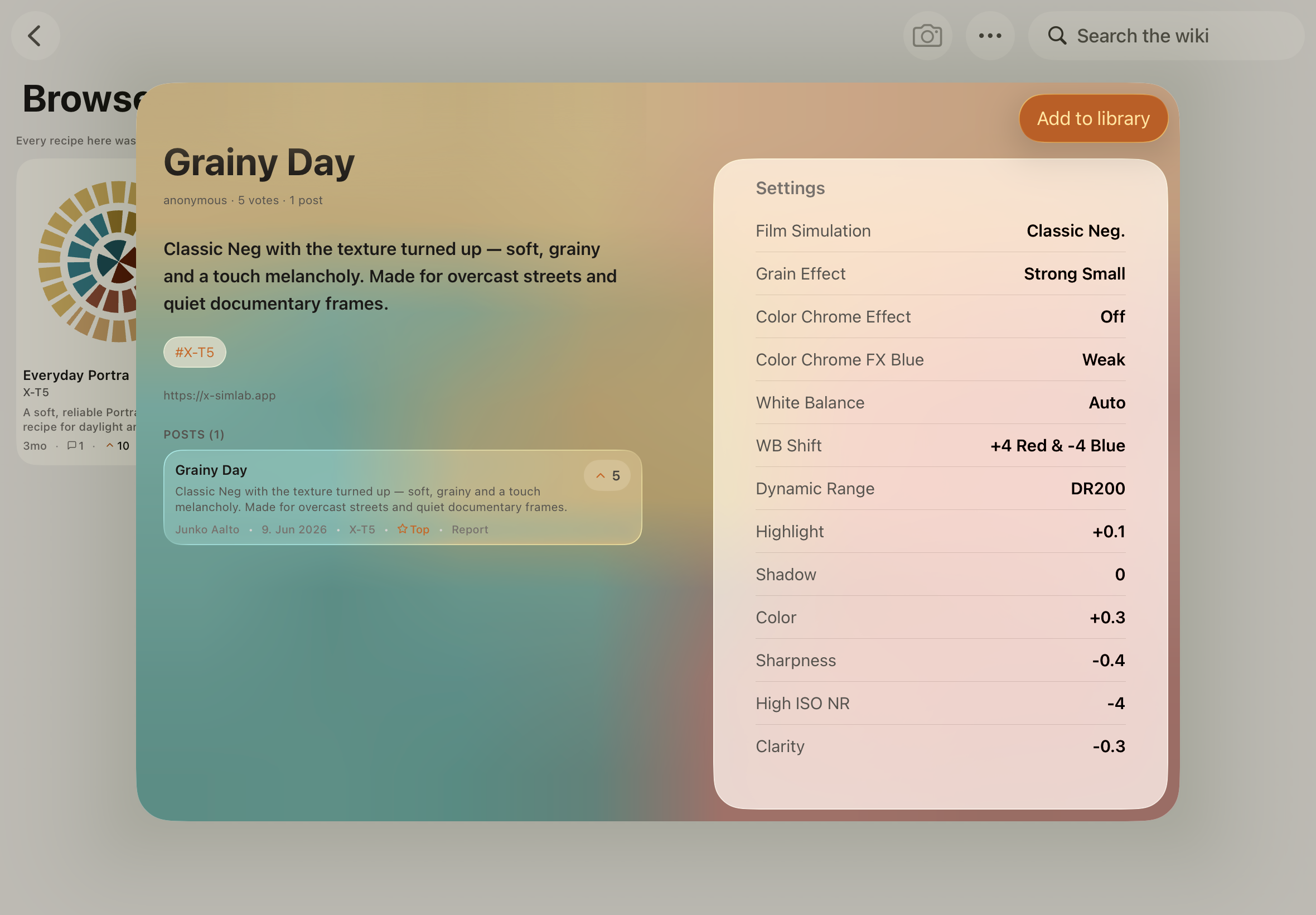
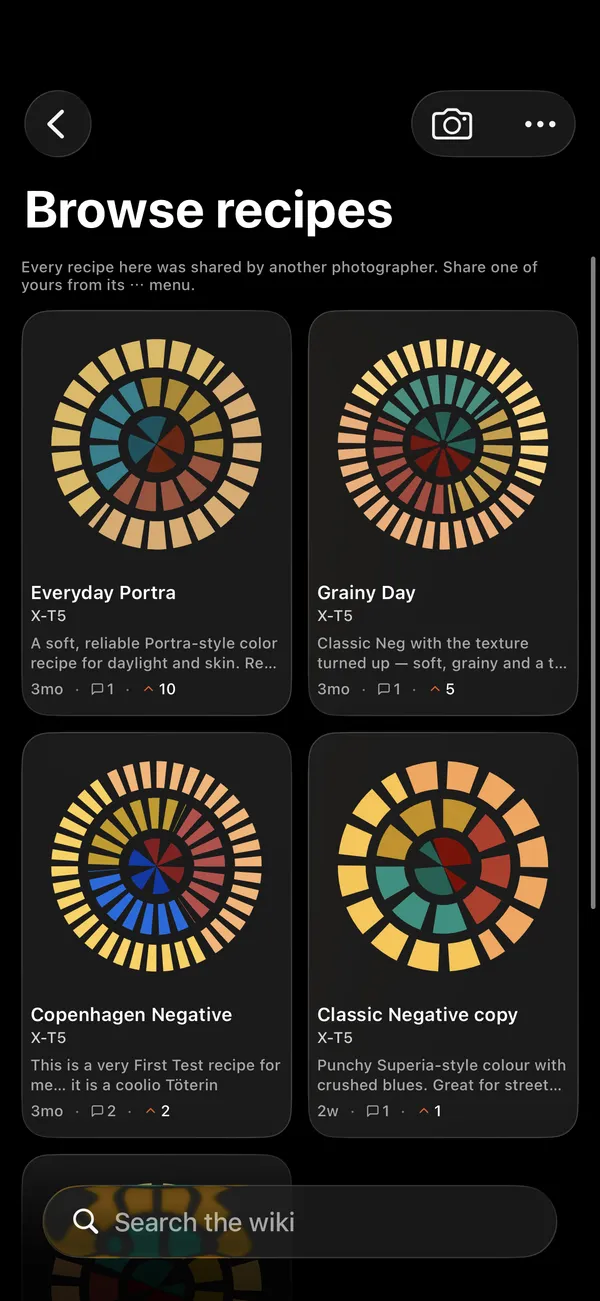
Browse recipes other photographers shared, read what they say about them, and add the one you like to your library in a tap.
The first mobile recipe lab and RAW developer for Fuji shooters. Develop straight out of your camera on iPad. Carry your recipe lab on iPhone.
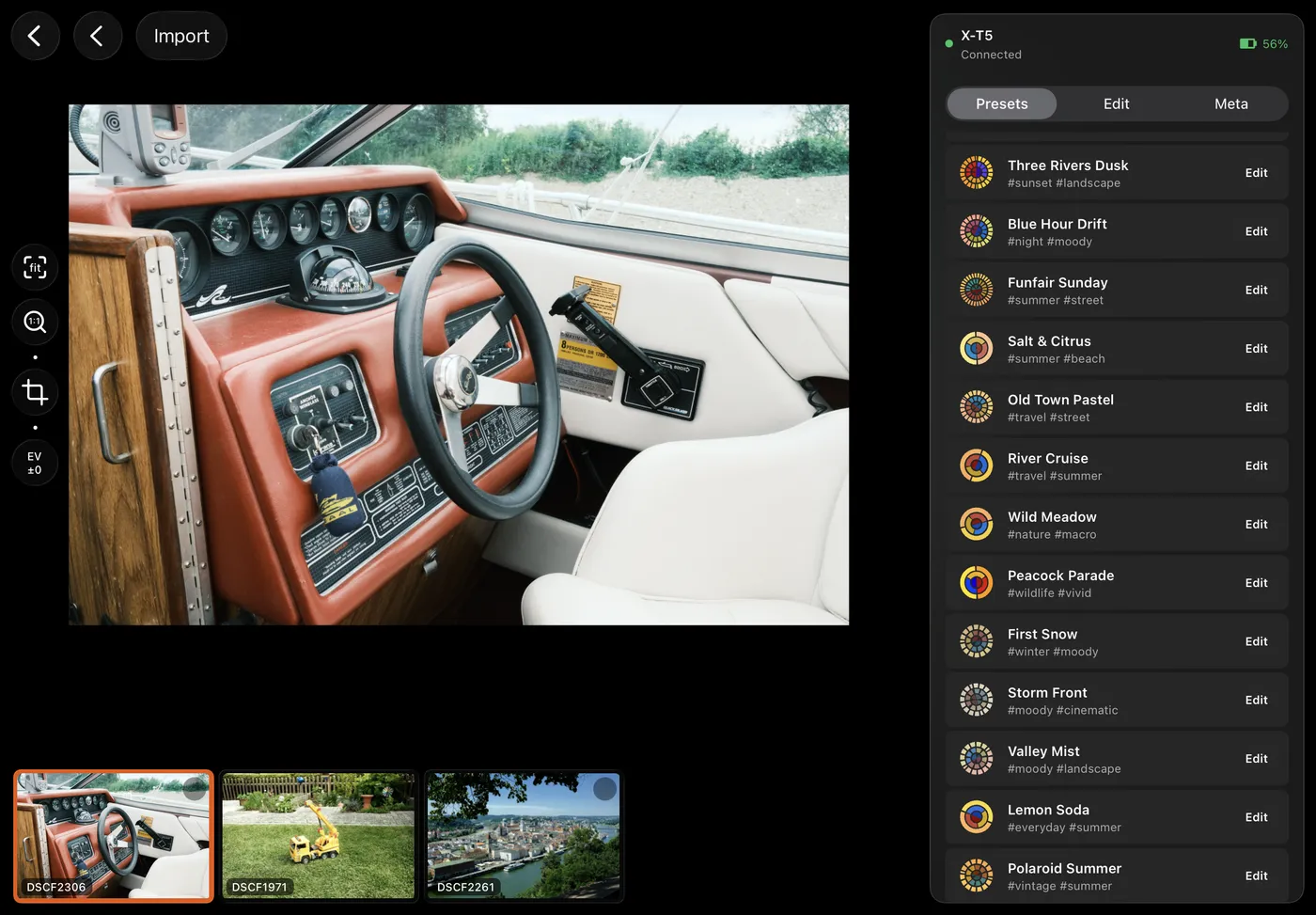
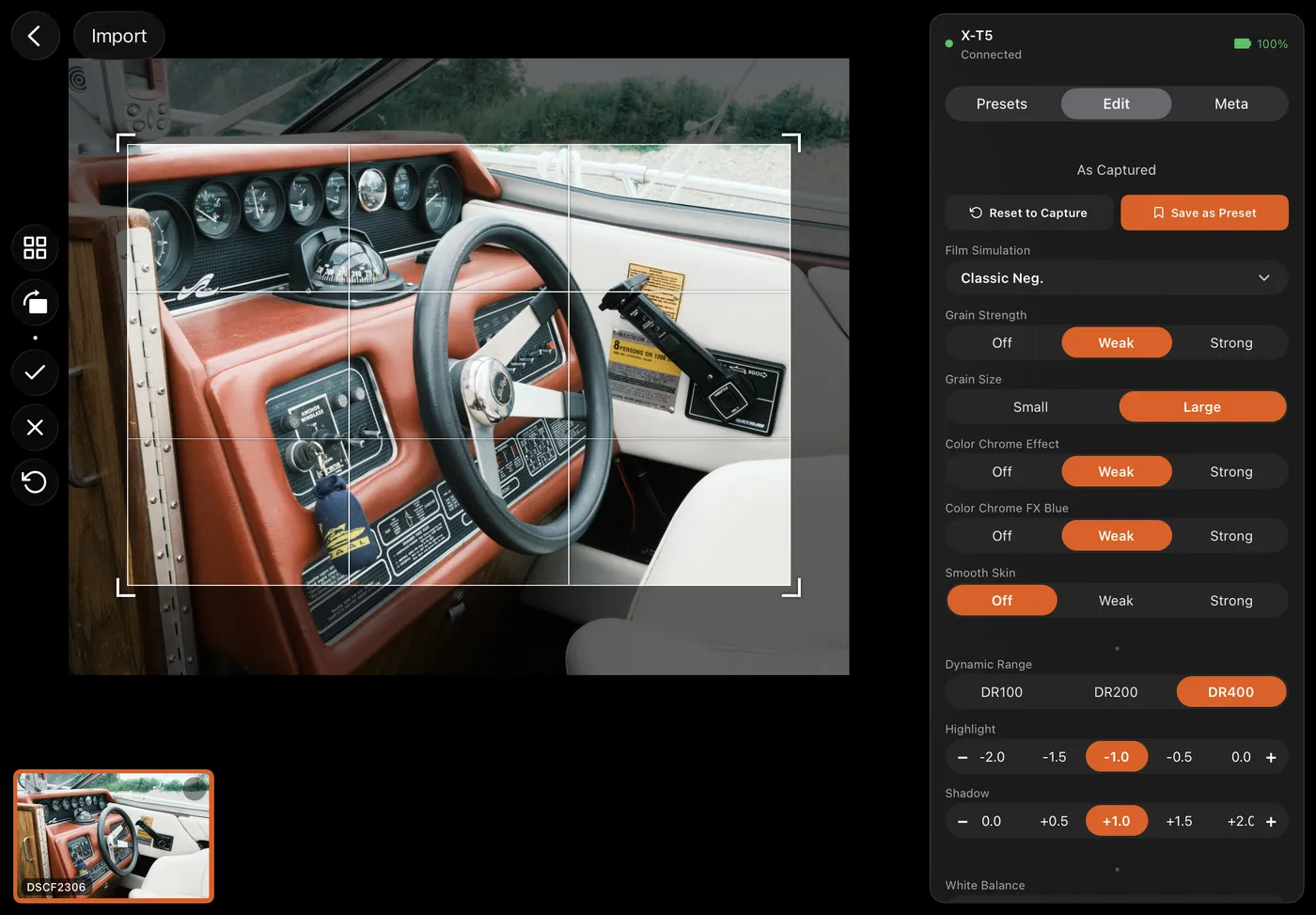
The editor
Plug the camera in. The RAW you shot gets developed by the same body you shot it with — no presets, no profile guessing at the film look. What lands on the iPad is exactly what your camera would have made, straight out of camera, long after the shutter.
That’s the part Lightroom and Capture One can’t do. They approximate the look. We just get it.
The photo library
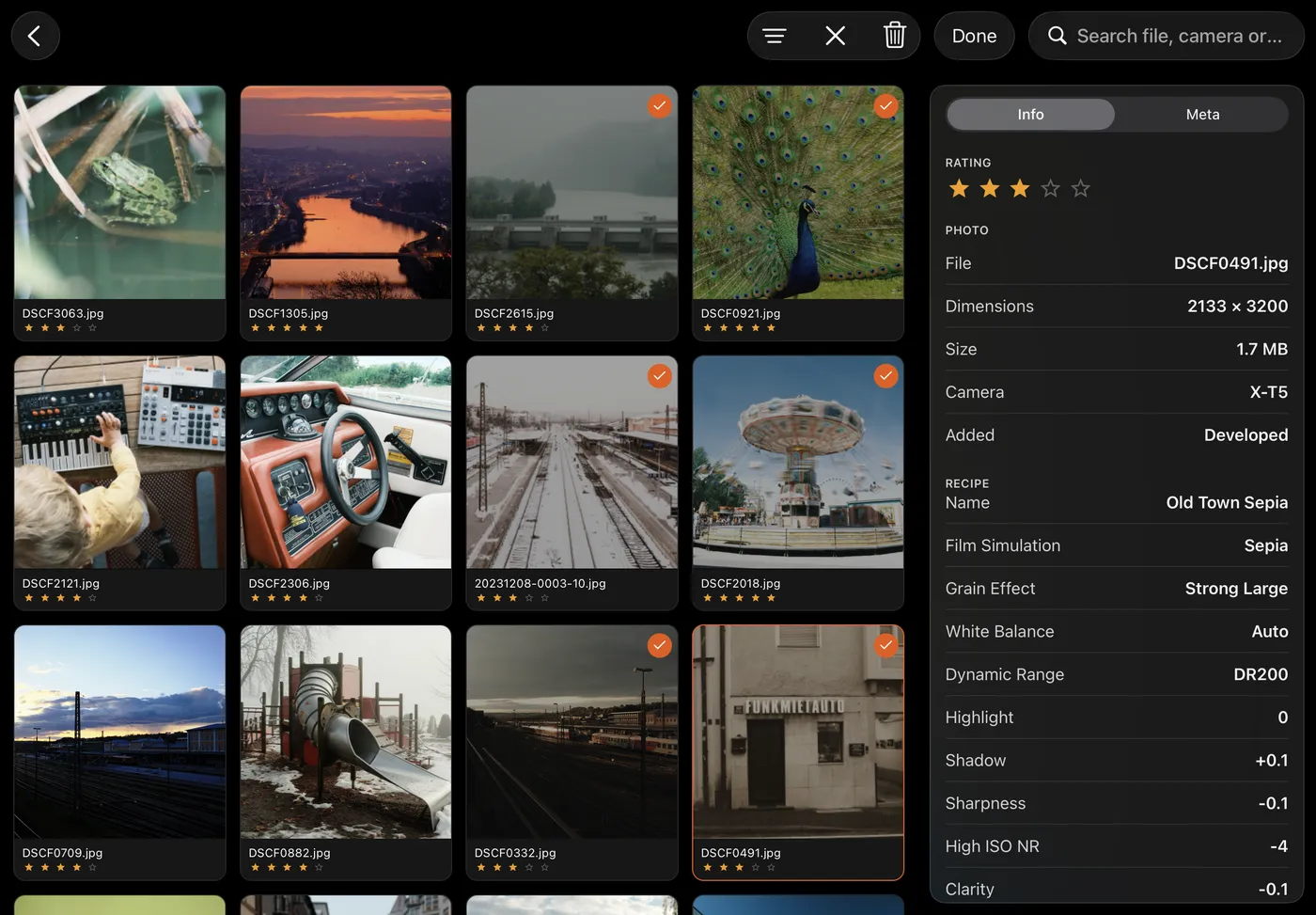
Developed photos live in a library of their own, beside the frames they came from. Albums, star ratings, search, a trash you can restore from — and for every photo, the exact recipe it was developed with. All of it synced through iCloud.
Getting shots in starts on the card: browse it before anything downloads, look at a frame full-size, star the ones worth keeping, and pull only those across.
The recipe lab
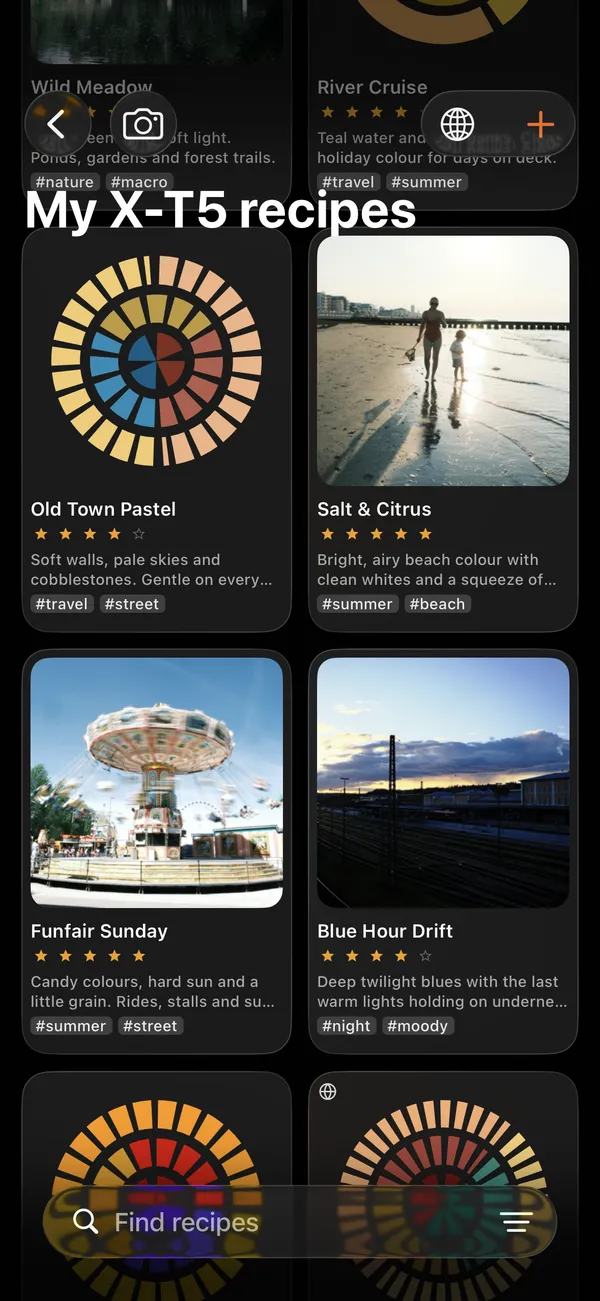
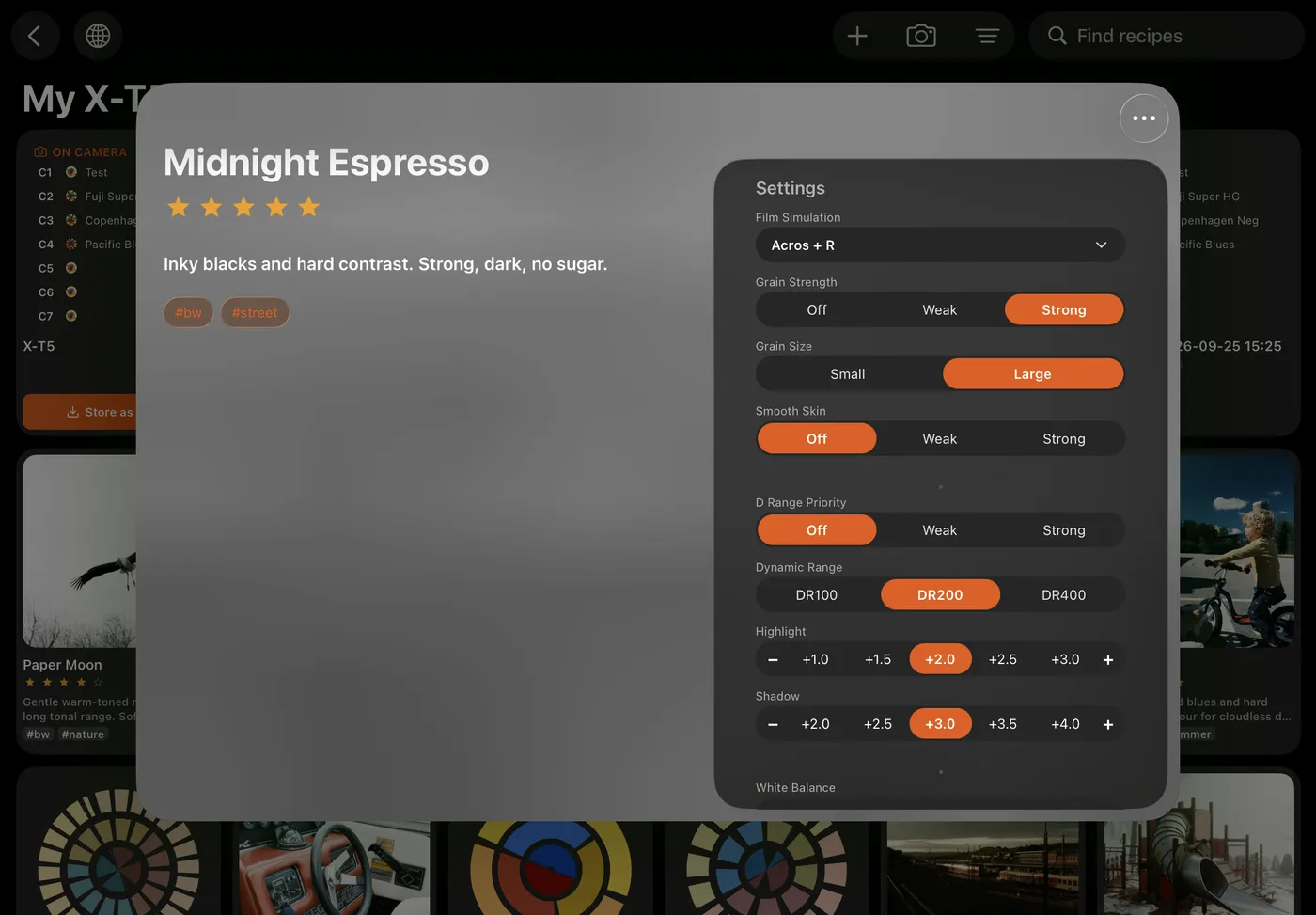
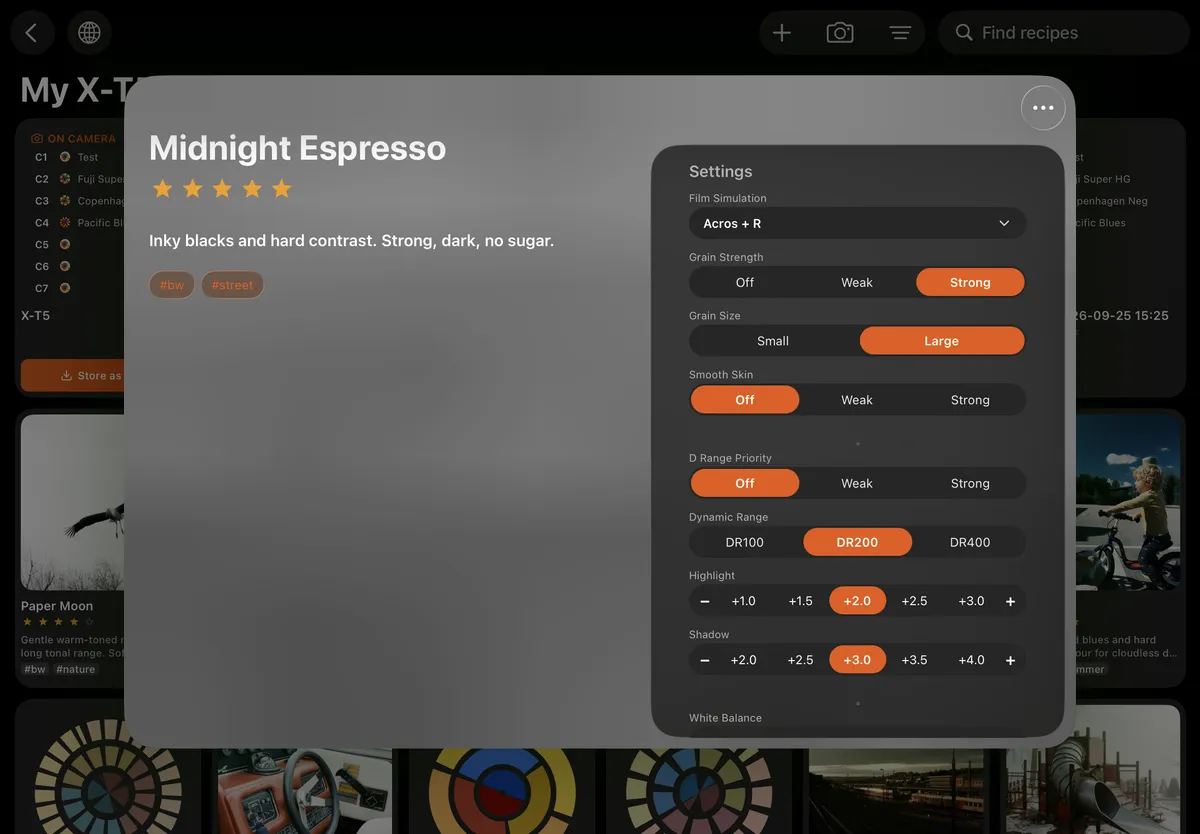
Build and edit recipes without the camera plugged in. Name them, tag them, keep the ones that work. Paste in a recipe you found online — the app reads the settings out of the text, and you check them before saving.
Each recipe draws its own picture: concentric rings derived from its settings, redrawn live as you turn a dial. Same settings, same rings — you start to read a recipe at a glance.
On iPhone
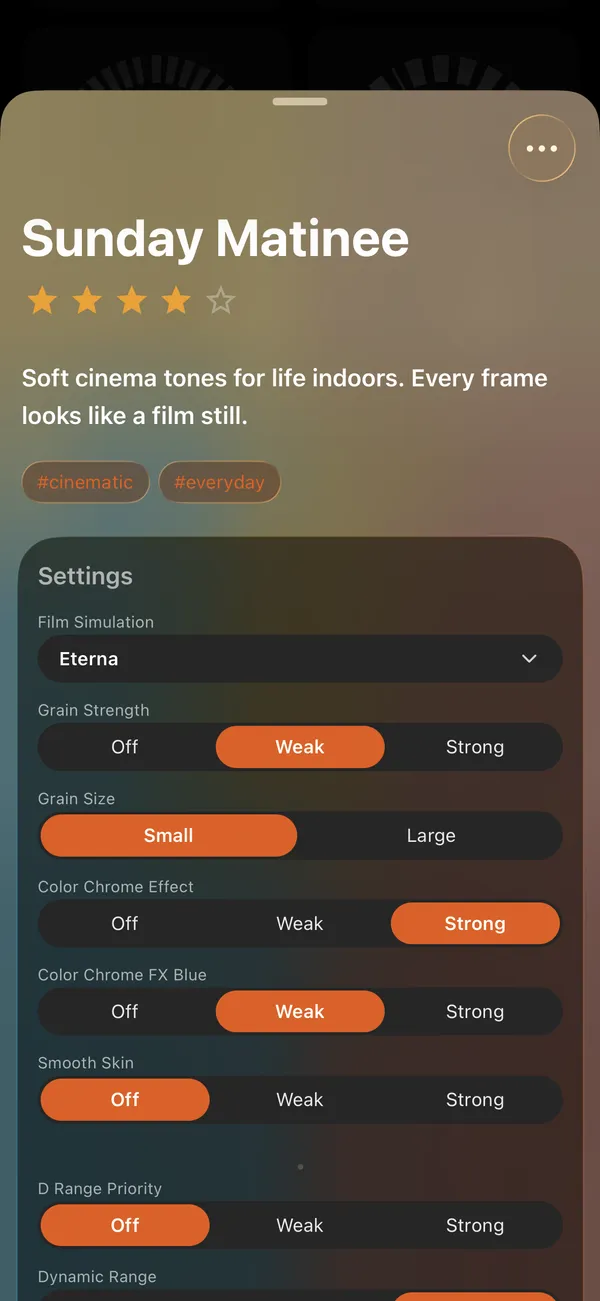
A recipe idea rarely shows up at the desk. Build, tune and tag recipes on iPhone, keep your setups at hand, and browse what other photographers share — the same shelf, the same rings, the same details sheet as on iPad.

Setups
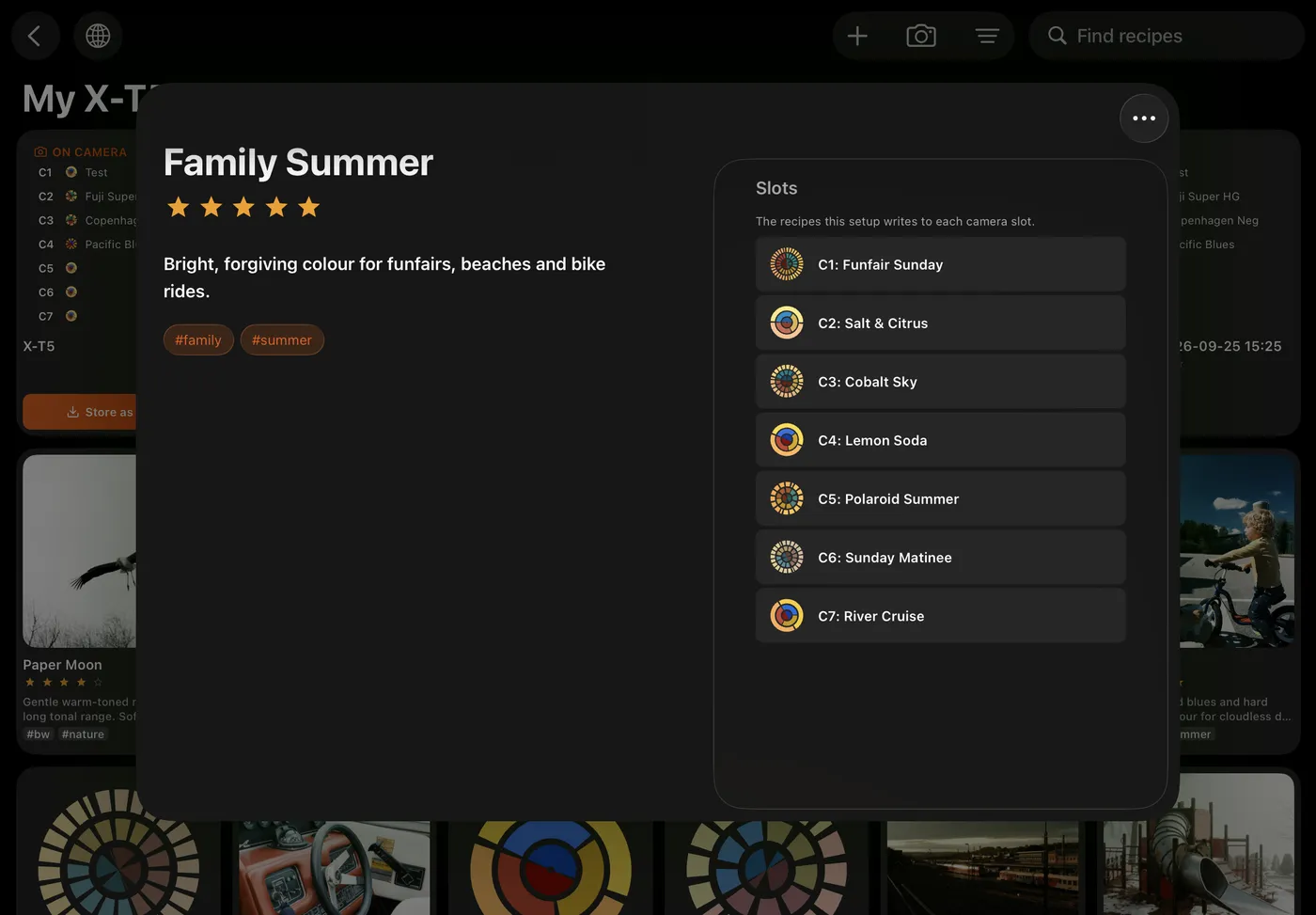
A recipe is the film look. A setup is everything else — focus, stabilisation, face detection, your own menus, all seven C-slots in a single snapshot. Your whole camera, safe off it.
Drop a recipe onto any slot whenever you like, then put the whole setup back the moment you need it. Macro day, wedding day, that setup you spent an afternoon getting just right — it’s one tap away, exactly as you left it.
Early access · X-T5 first
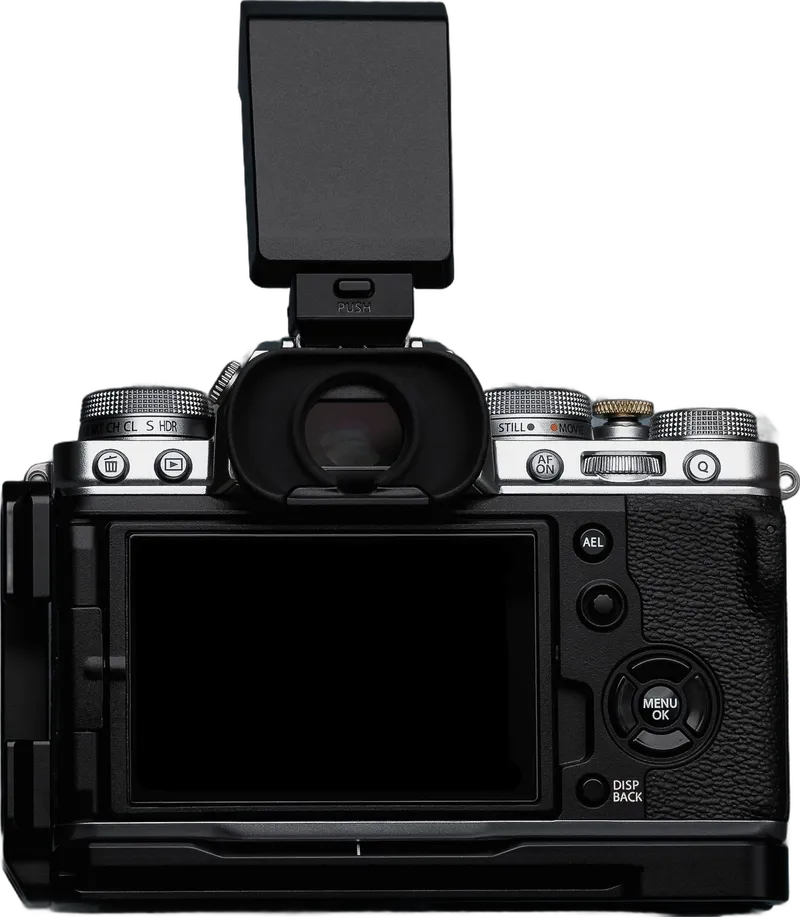
Tune one on the iPad and it lands on the camera, over the air. Working on the X-T5 today; the X100VI and the other X-Trans V bodies follow as each one is confirmed.
Pair it once, switch it on, and it's right there — no reconnecting, no fiddling.
Film sim, grain, tone, white balance — the whole thing, exactly right.
Your recipe library, on iPhone too.
The recipe wiki, in the app
Open the wiki and the whole community’s recipes are right inside X Sim Lab — filter by film simulation, processor, camera or upvotes. Tap one and it’s an ordinary recipe on your shelf, yours to edit. Share your own, or write the description the next shooter needs.
Publish a new recipe, add your own take to one that exists, or upvote the description that nails it.
Post under a pseudonym with an optional bio — no real name, no account churn. Turn it all off any time.
A one-tap Report on anything off, reviewed by us — so the wall stays worth reading.
Cinematic Cool
X-T4
Everyday Portra
X-T5
GFX Provia Calm
GFX50S II
Pastel Frame
X-E5
Portra 800 Night
X-T50
GFX Astia Soft
GFX100 II
Kodachrome 64ish
X-Pro2
Cinematic Cool
X-T4
Everyday Portra
X-T5
GFX Provia Calm
GFX50S II
Pastel Frame
X-E5
Portra 800 Night
X-T50
GFX Astia Soft
GFX100 II
Kodachrome 64ish
X-Pro2
Kodak Gold 200
X-E5
Salted Slate
X-H1
Arthouse Bleach
X-S10
Bright Kodak Pop
X100VI
GFX Ultra Color
GFX100S
Crisp Chrome
X-E3
Rust Roamer
X-T4
Kodak Gold 200
X-E5
Salted Slate
X-H1
Arthouse Bleach
X-S10
Bright Kodak Pop
X100VI
GFX Ultra Color
GFX100S
Crisp Chrome
X-E3
Rust Roamer
X-T4
A one-time, pseudonymous opt-in — the app stays fully offline until you choose to go online.
More in the kit
Browse recipes other photographers shared, read what they say about them, and add the one you like to your library in a tap.
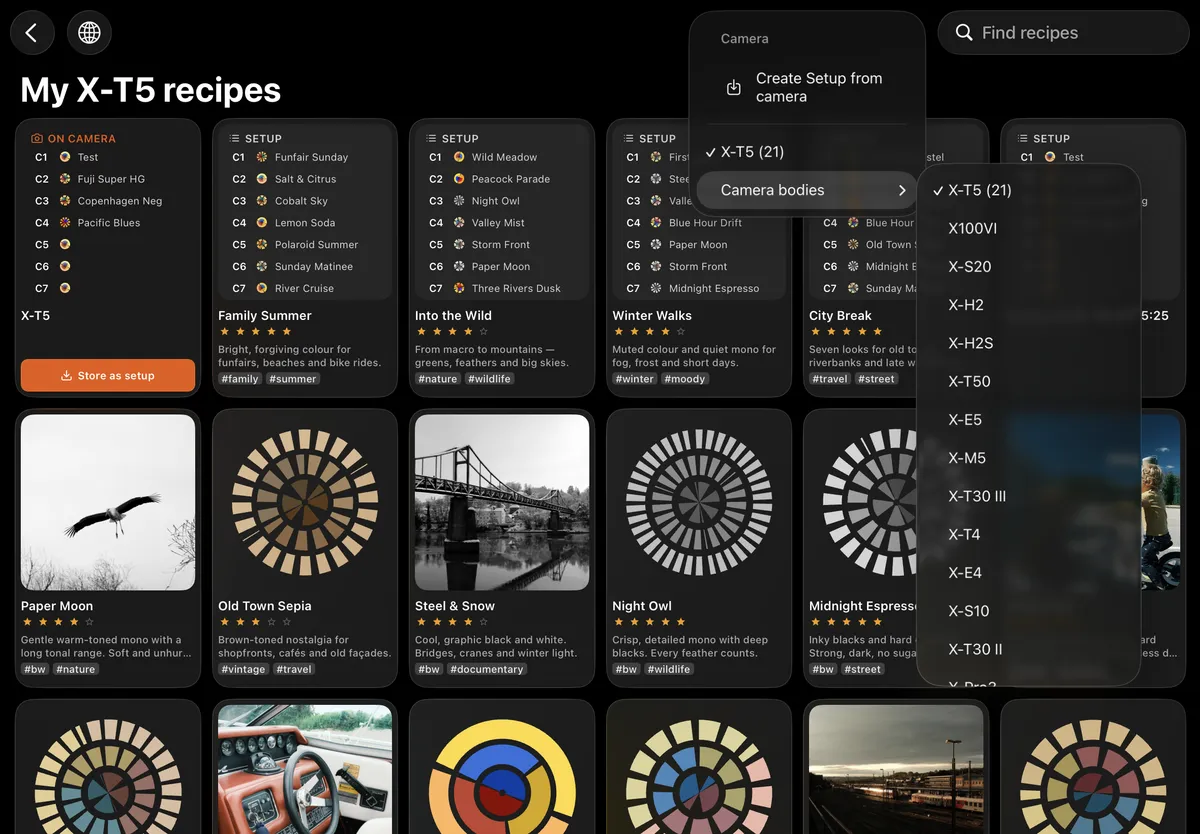
It spots your body and the recipe already on it, then shows you only the dials that camera actually has. No guesswork, nothing that won't apply.
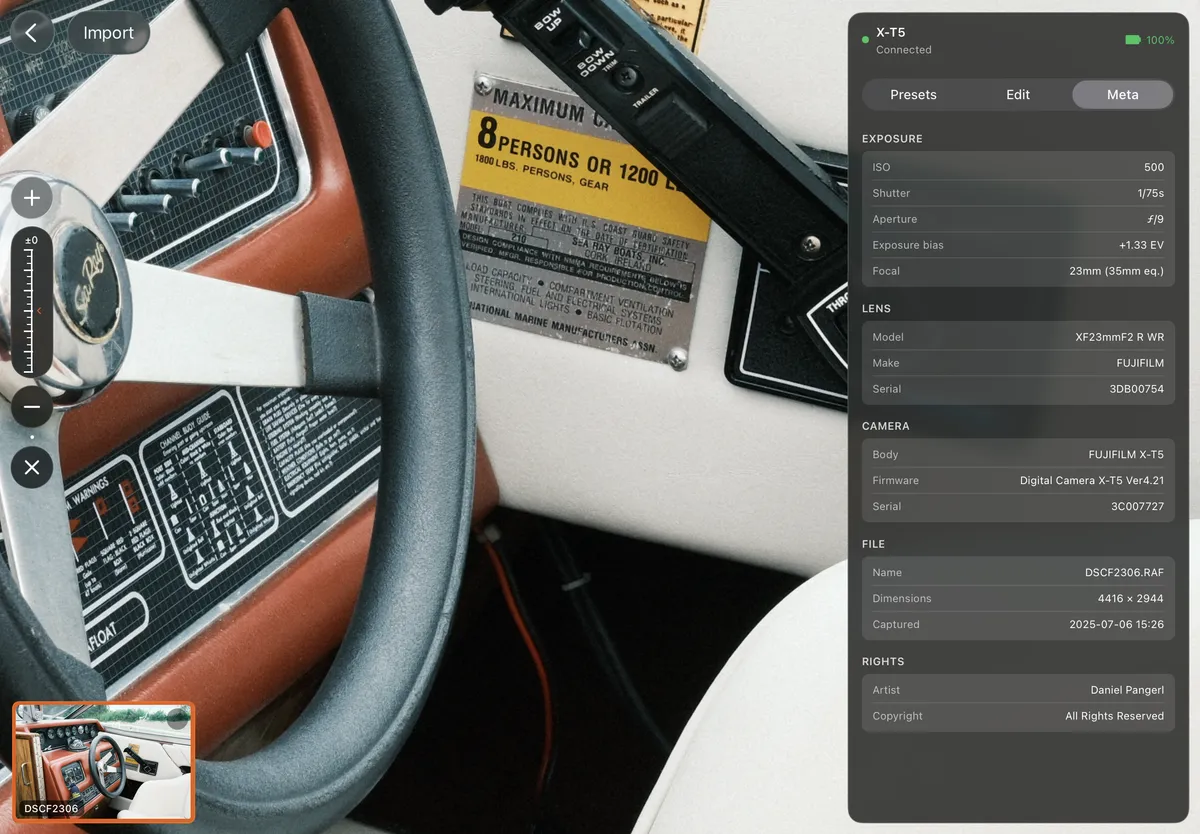
Zoom right into the frame and read the full shot info next to it — exposure, lens, body, file. Crop and EV sit one tap away.
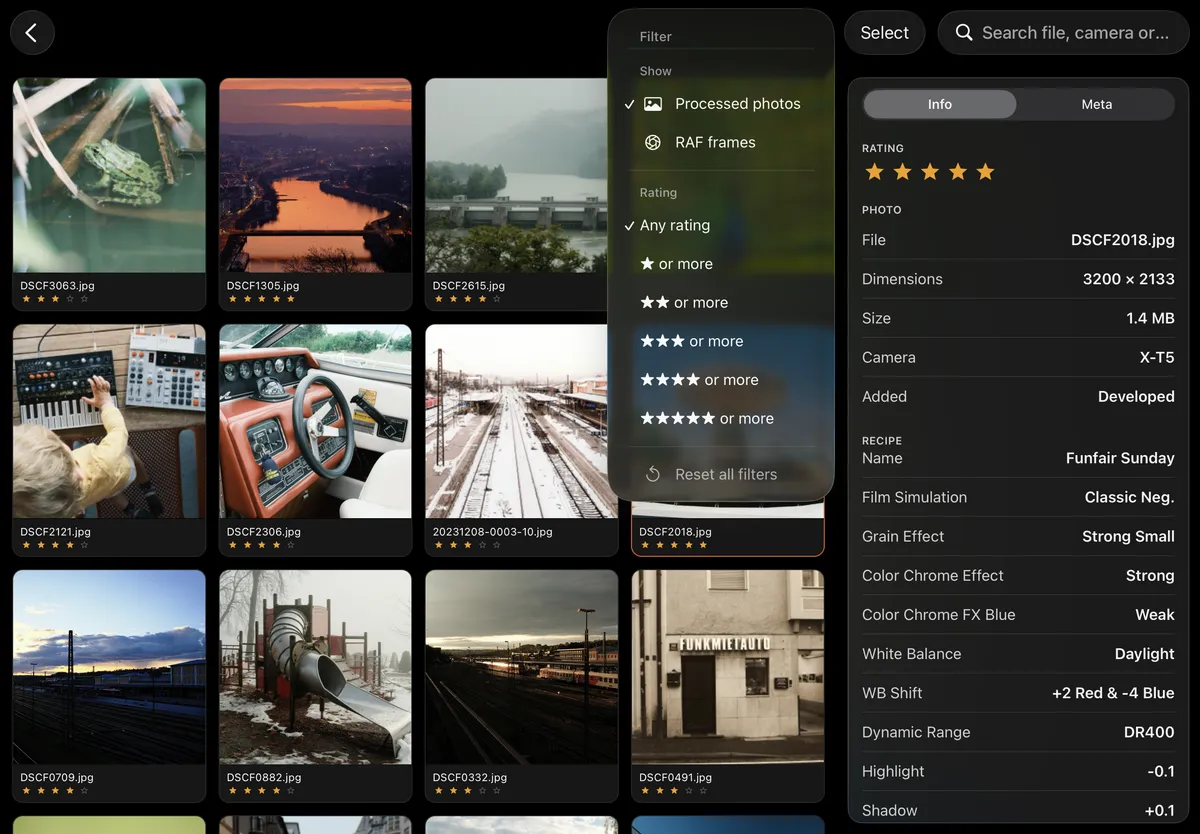
Filter the library to developed photos or RAW frames, and by star rating. Search by file or camera when you know what you're after.
Export
Select your frames and develop them in one go — at the camera’s full size, with the same format, quality and crop across the lot. Keep them in the app’s photo library, or send them to Apple Photos or Files.
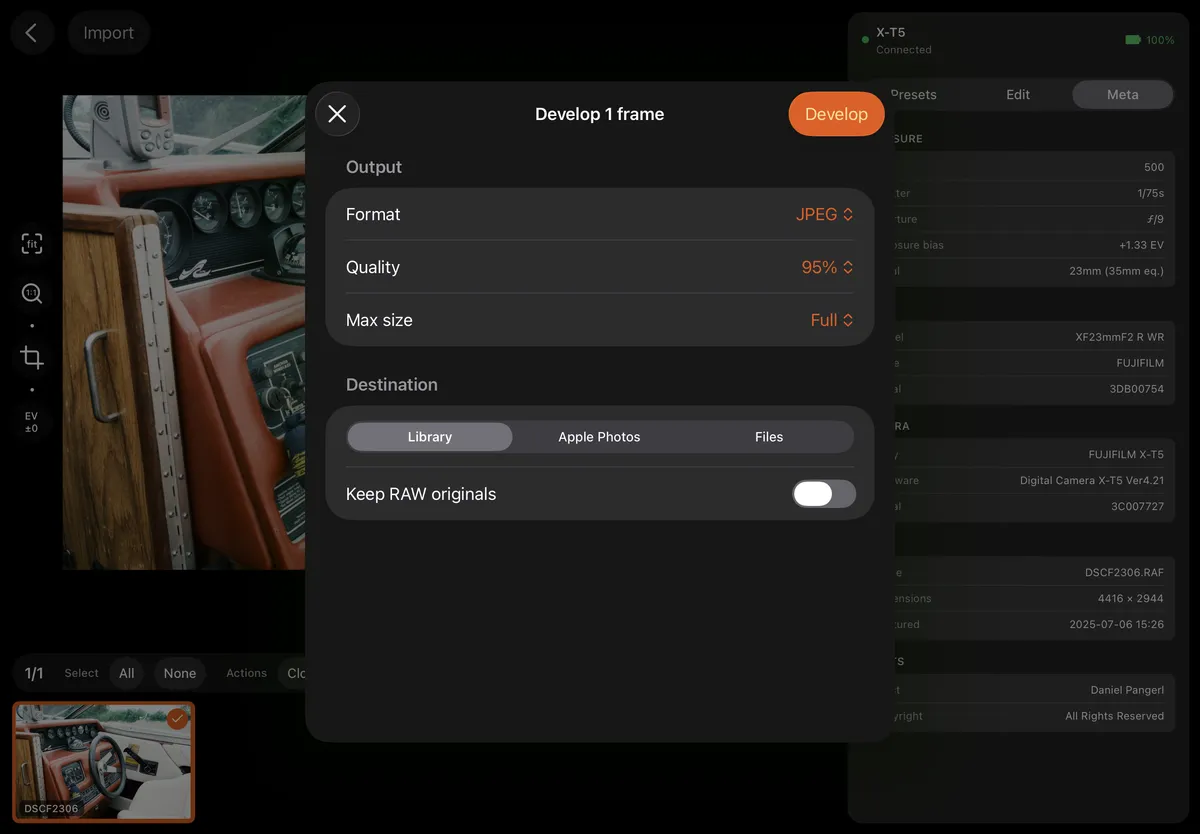
Universal. Pick your quality and size.
Smaller files, same look — HEIC out of the box.
16-bit, every detail kept, ready for the big edit.
And the rest
The shot you took is the one worth keeping. Get the look right in camera, and there’s nothing left to fix later.
That confidence is the whole point of a recipe — and X Sim Lab is where you tune one until it’s right.
“I usually shoot SOOC and never touch my files afterwards. But I wanted to give X Sim Lab a try — and now I actually enjoy developing my RAFs.”
“I used to import everything into Lightroom and spend ages trying to match the look. Now I just don't.”
“I'd basically given up on developing my RAFs on the go. This is the first tool that made me want to again.”
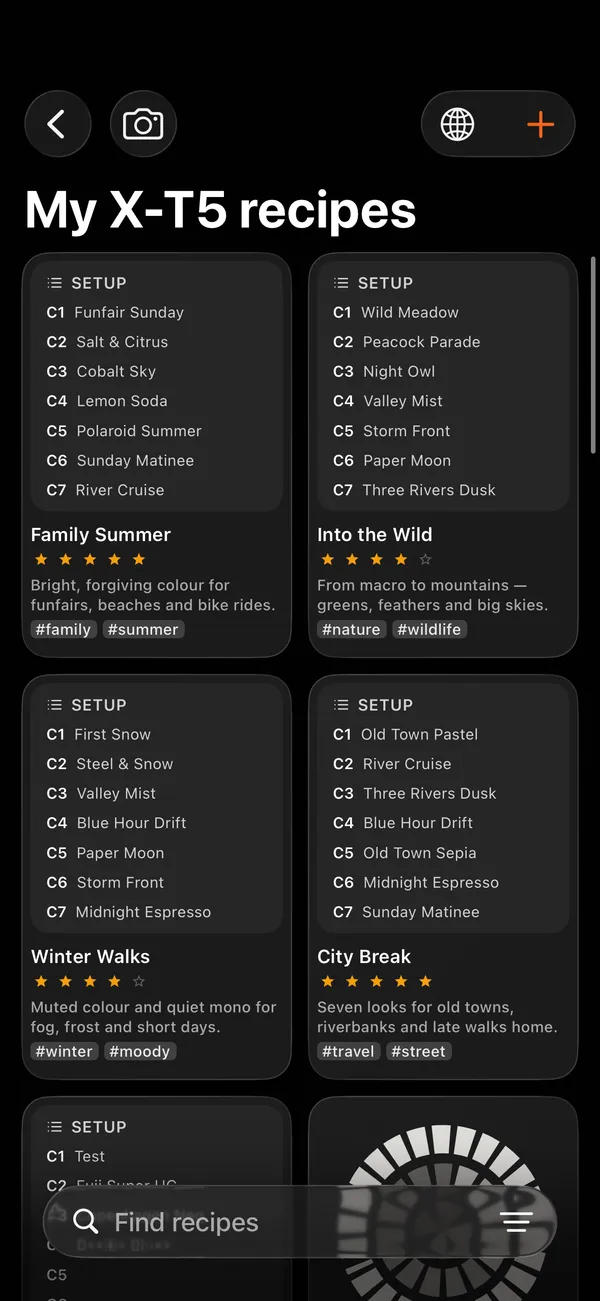
Next on iPhone
Today the iPhone app is your recipe lab. Developing RAWs and talking to the camera stay on iPad — for now. Leave your email and we’ll tell you when that changes.
One email when developing comes to iPhone. Nothing else.
FAQ